Log the job with style, fabric colour and design, fill the full size run, price it from your catalogue, and make the bill.
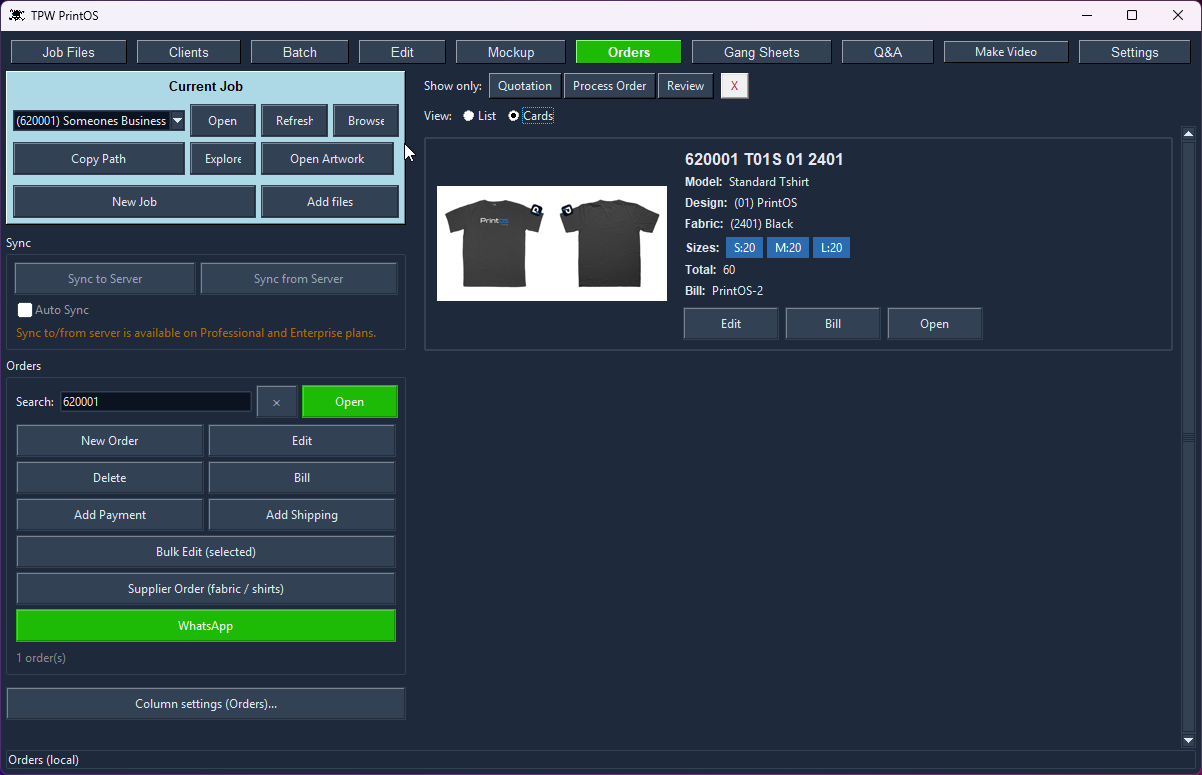
Cards or list, filtered by status, with the size run and bill on every order.
Half in a spreadsheet, half in chat, half in your head — that's how most shops track orders, and it's why jobs get printed twice.
PrintOS logs a job with its style, fabric colour and design, a size run from 3XS to 5XL with live totals, and prices pulled from your own product catalogue. The garment mockup sits right there while you work, so you're looking at exactly what you'll print.
Sell a shirt at a set price, or let PrintOS work it out from what it costs to make: cutting, sewing, rib, buttons, packing and your margin, plus the fabric for the colour on the order — divided by how many shirts you get from a kilo. Quantity discounts apply themselves, and prices round up to whole numbers that look right in your currency.
It syncs two-way with your own SQL database, and falls back to a local SQLite copy when there's no connection — so a dropped line never stops a job.
3XS to 5XL with a live total, calculated as you type.
A set sell price, or fabric + rib + labour + margin worked out per shirt.
Your own price breaks apply themselves as the quantity goes up.
See the garment while you take the order, not in another window.
One click to see only Quotation, Process Order or Review.
Change a price or bill number across a whole selection at once.
Generate the bill straight from the order, with your bill numbering.
Shirts, revenue, cost, profit, fabric and film - with CSV export.
SQL sync when connected, local SQLite when not.
In this video, I demonstrate the complete production workflow inside TPW PrintOS , from a finished t-shirt mockup to a production-ready DTF print layout. The workflow includes:
PrintOS keeps a local database on your machine so you can always keep working, even with no connection.
On Professional and Enterprise, it also syncs over the internet — clients, orders, designs and Job Files — so everyone on your team sees the same data. Sync runs incrementally: only what changed moves.
You control it with an Auto Sync toggle, or push and pull by hand any time.
The local databases are plain, unencrypted SQLite files sitting in your PrintOS folder. Open them with any SQLite tool, back them up by copying the file, or read them from your own code.
Yes. Nothing is locked away.
PrintOS stores your clients, orders and designs in ordinary SQLite databases in its own folder. They're not encrypted and they're not in a secret format — open them with any SQLite browser, query them, or point your own code at them.
So if you want to build your own website, customer portal or reporting system on top of your data, you can. It's your data. Back it up by copying a file, and if you ever stop using PrintOS, you still have everything.
3XS through 5XL, with a live total as you type. Every size is on one screen — no scrolling through sizes nobody orders.
Every design and production tool is in both — gang sheets, mockups, crop, background removal, orders, billing and video.
Professional adds online sync: clients, orders, designs and client files shared between machines through your own database and server. Local Edition keeps everything in its local database on one computer.
Every tool shares one client, so the work flows from one to the next without re-typing anything.
Set your roll width, load the job, and get a print-ready gang sheet — nested tight, with e…
Drop a design onto a garment, pick the style and fabric colour, and send a clean preview —…
Colour remover and a magic wand you tune per RGB channel — click, apply, save. Ready to pr…
Batch-crop a client's entire folder at three sensitivities, or crop by hand with snap-to-c…
A real client book with WhatsApp built in — and every design filed under the client it bel…
Pick the clips, tag the client, add music and an outro — then publish to TikTok, Instagram…
Set up the garments you actually sell once — then every mockup, order and bill uses them a…
Open a bill and PrintOS totals the fabric and rib in kilos per supplier, or the shirts and…
Shirts, revenue, cost and profit by month - with fabric kilos, DTF film used and ink cover…
Every tool unlocked, no card, no account. Then buy it once — there's no subscription.